Give 20x the task. Keep your focus.
Start with a task, not an agent setup. Mastermind and triage help choose the path; 20x keeps the work and result together so you can step in when it matters.
The metric behind the name
See how much work your agents do for your time.
Agent run hours ÷ your active hours in 20x
20x calculates your own multiplier from live agent runs and time spent on screen in the app. The name is a goal, not a promised result.
Download Now




You set direction. 20x carries the work.
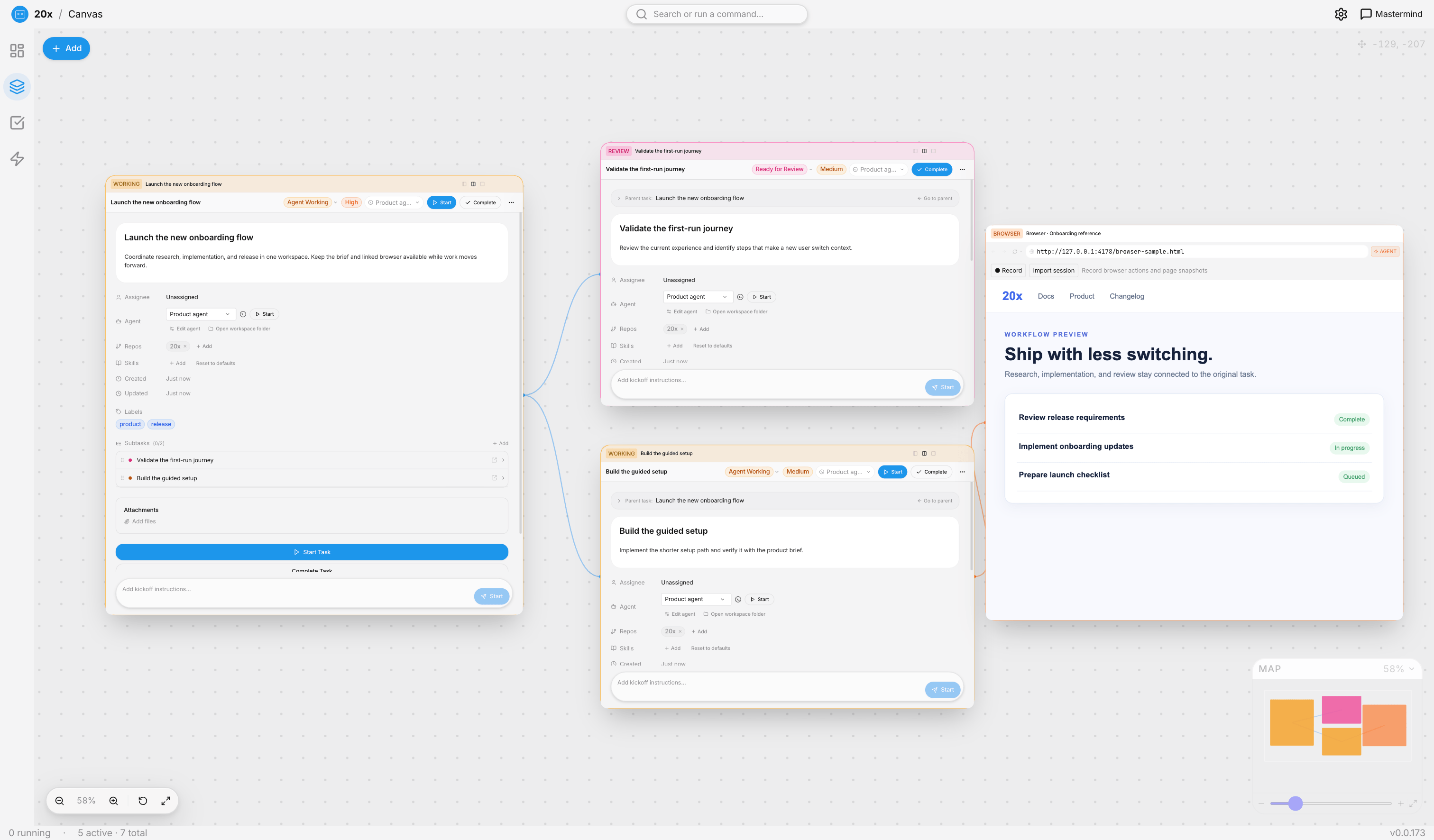
State the outcome once. 20x plans and sets up the task, keeps subtasks and browser context on one canvas, and brings you back for consequential approvals and review.
Your part
Set the outcome
Connect a task source or create a task, then describe what done looks like.
Approve and review
Approve consequential steps when asked. Review the result and give feedback on the task.
20x handles
Plan and triage the task
Mastermind breaks down work. Triage proposes priority, coding harness, skills, and repository.
Run work with context
Agents work from the task. Canvas keeps linked subtasks and a browser in view, with the work log and result attached.
Your harnesses, one task workflow.
Run Claude Code, OpenCode, Codex, Cursor, or Pi. Add compatible coding agents from the official ACP registry or a local ACP command. Every configured agent works from the same task context and returns its result there.






Built for every team's backlog.
From marketing campaigns to bug fixes, 20x adapts to any kind of knowledge work your team does.
Learn how to get more from agents.
20x shows where your time goes and helps turn good outcomes into repeatable ways of working. Less prompting from scratch, more useful output from each handoff.
- 01
Measure your multiplier
See agent run hours beside your own active time in 20x. Use the ratio to spot when work still needs too much steering.
- 02
Review what worked
Keep the brief, work log, and result together. Give feedback on the outcome instead of reconstructing what happened across tools.
- 03
Reuse the lesson
Turn repeated instructions and feedback into reusable skills so the next task starts with better context.
Everything around the task.
From task context to agent work and review, the important pieces stay connected.
Pricing
- Enterprise-level AI templates
- Unlimited AI assistant with no storage limit
- Pre-configured agent skills
- Connect with any and all existing tools
- Enable skill transfer within your organization
- Enterprise-level AI templates
- Unlimited AI assistant with no storage limit
- Pre-configured agent skills
- Connect with any and all existing tools
- Enable skill transfer within your organization
Join the builders.
20x is built in public by Peakflo. Contribute skills, report bugs, share use cases, or follow along as we ship.
Browse the source, file issues, and open pull requests. Skill files, agent configs, and MCP integrations are all community-extendable.
View on GitHubChat with other 20x users and the Peakflo team. Share agent skills, get help with setup, and influence the roadmap directly.
Join DiscordGive 20x the task. Keep your focus.
Bring your tasks and agents into one place. Download Peakflo 20x and run it on your machine.
Quick answers.
Everything you need to know before you download Peakflo 20x.